


Survey Pop: Make money fast!
4.67.95K Reviews
App Specs
- Version
- 26.8.21
- Updated On
- License
- Free
- Downloads
- 500,000+
- Developer
- SocialLoop
- Categories
- Lifestyle
- Platform
- Android
Screenshots
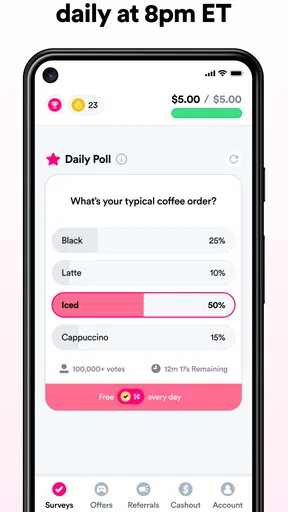
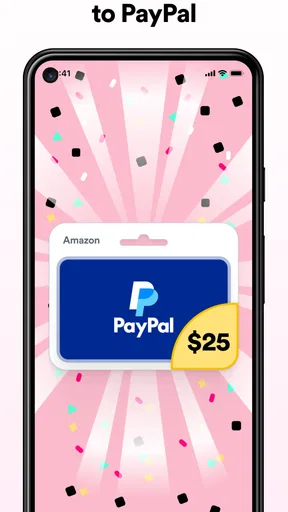
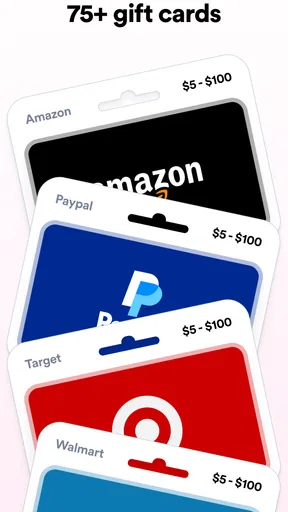
 Analysis by AppCompare
I treat survey apps as a way to fill small gaps in the day, not as a dependable source of income. That distinction matters with Survey Pop: it is a lifestyle app from SocialLoop built around answering surveys, and its appeal is easiest to judge when you think about the moments you would actually use it. If you have a few spare minutes and don’t mind sharing opinions, it may be a pleasant option. If you need predictable earnings or work that continues without a connection, I would look elsewhere.
Why a steady connection matters
Survey work is naturally tied to being online. The app needs to show what is available and let you submit your responses, so I’d open it when I have a stable connection rather than start a survey as I’m stepping into a lift or boarding a train. A brief interruption at the wrong time can turn a supposedly useful spare moment into a frustrating one.
My practical rule is to check the survey details first, then begin only if I have enough time and a reliable signal to finish. That is especially helpful when a survey asks for more attention than a quick preference question. I would not count on being able to pause and resume after losing connectivity; the safer approach is to treat each survey as a task to complete in one sitting.
That makes Survey Pop a better fit for a break at home, a quiet café, or a wait where the network is dependable than for a commute through patchy coverage. The app can make spare time feel more productive, but only when the conditions are right. Keeping that limitation in mind helps me avoid treating every short wait as a good opportunity.
Using it in everyday mobile moments
The most natural use is a small, low-pressure window: waiting for a meal, sitting between appointments, or relaxing after chores. I’d keep a survey app like this separate from urgent tasks, because an unexpected interruption or a survey that takes longer than expected can make a short break feel rushed. It is not a substitute for paid work with a scheduled shift; it is a way to use time that would otherwise be idle.
Notifications can help draw attention to new opportunities, but I would choose them thoughtfully. A ping is useful if I can act on it soon; it is less useful if I’m driving, in a meeting, or trying to concentrate. I prefer to check when I’m free instead of letting a notification turn every spare moment into an obligation. That small boundary makes the experience more relaxed.
For anyone wondering whether this suits a busy routine, I’d say it can—provided you are comfortable with irregular, short sessions. It is a poor match if you expect a fixed daily workload or need to know exactly how much you will earn by a certain time. Survey availability and suitability can vary, so I would approach each session as optional rather than build a budget around it.
Worth Reading Before You Choose

EA SPORTS FC Mobile 26 Is a Bigger Football Game, but It Takes Time

Flipboard Shows What News Apps Must Do Beyond the Feed

Switching to Android Auto Means Rethinking Your Driving Routine

Google Calendar Makes a Crowded Week Easier to Manage

Ludo King Makes the Most of the Minutes Between Plans

Baby Panda World Brings Quick Play to Modern Phones, but Its Game Library Feels Busy
Recovering from interruptions without wasting time
Before I tap into a survey, I’d look at its stated duration and reward, then ask whether I can give it that uninterrupted stretch. If I only have a moment, browsing what is available may be wiser than starting something I might have to abandon. This simple check is a useful way to reduce the chance of losing effort to a call, a weak signal, or a change of plans.
If a screen stops responding or a connection drops, I would avoid repeatedly tapping submission controls. First I’d wait for the app to settle, then check whether the survey or balance has updated before trying again. That is general good practice for any online questionnaire: it can prevent duplicate actions and makes it easier to tell whether the interruption affected the task.
There is also a real trade-off between speed and care. Rushing through answers just to finish can make a survey feel tedious and may lead to careless responses. I’d rather choose a shorter opportunity when I’m distracted and save a longer one for a calm break. Survey Pop is most useful when I can give the questions a little attention, not when I’m squeezing them into every few seconds.
Keeping mobile data use intentional
If you use a limited mobile plan, it is sensible to reserve survey sessions for Wi-Fi when convenient, especially if you expect to spend a while browsing and answering. I would not assume that a survey app uses no data simply because its main activity is text; the exact amount can depend on the content shown. Checking your phone’s data usage after trying it gives you a more useful answer for your own routine than guessing.
Privacy is another reason to be deliberate. Survey answers are the point of the app, so I would read each question carefully and share only what I am comfortable providing. If a question feels too personal for the reward on offer, skipping that opportunity is a reasonable choice. A few extra points are not worth feeling uneasy about what you have disclosed.
It also helps to think of notifications and survey invitations as prompts, not promises. I would not keep the app open in the background all day or repeatedly refresh it just to chase a new task. Check when you have time, complete a survey if the fit is right, and then get on with the rest of your day. That approach keeps both data use and attention in check.
Who will get the most from it?
I’d recommend Survey Pop to someone who enjoys giving opinions, can spare occasional short sessions, and is comfortable with the stop-start nature of survey work. It can suit a student between classes, someone waiting for an appointment, or a person winding down at home. The common thread is not a particular lifestyle but the ability to treat any reward as a small extra rather than a reliable paycheck.
I would skip it if you dislike questionnaires, have little patience for screening questions, or need guaranteed compensation for your time. Survey apps generally compete for the same spare minutes, so the relevant comparison is not only which one offers a task but how much effort, waiting, and personal information you are willing to exchange. If you want steadier returns, a task platform with clearly defined work—or simply spending that time on another priority—may be a better fit.
One useful habit is to judge a session by the whole experience, not just the reward displayed before you begin. Include the time spent reading, answering, and deciding whether a survey is suitable. After a few sessions, you can decide whether the balance feels worthwhile for you. That is more realistic than assuming every available survey will match your profile or take exactly the time you expect.
Survey Pop is free and intended for everyone. It has an average rating of 4.6 from around 47,000 ratings, with over 100,000 installs. Those figures suggest that it has found an audience, but they do not tell me whether a particular person will receive surveys that fit their interests or schedule. I would use them as context, not as a promise about personal earnings.
The app was released on June 13, 2022, and its current version is 26.5.19, with Android 11 as the minimum operating system. If your phone is older than that requirement, check compatibility before planning to use it. For anyone whose device is supported, the main decision is less about setup and more about whether survey-based earning fits the way they spend their downtime.
Getting Started with Survey Pop
Downloading Survey Pop is as straightforward as it gets. Available on both Android and iOS, you can find it easily in the app store. Once installed, the setup is a breeze. You just need to create an account, which takes all of two minutes. Trust me, I've spent longer waiting for my coffee to brew! The app asks for some basic info to match you with relevant surveys, and I appreciate that they keep it simple.
User Interface and Experience
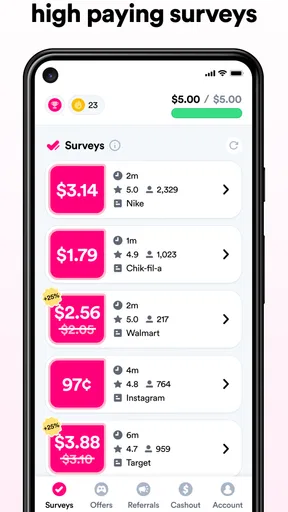
The first thing that caught my eye was the clean and intuitive interface. Everything is laid out logically, making navigation a piece of cake. The main dashboard displays available surveys, your earnings, and any bonuses you might have snagged. It's like a personal finance tracker, but with the added fun of surveys.
One feature I found particularly useful is the notification system. It alerts you to new surveys, ensuring you don’t miss out on any opportunities. This app is designed for people who are on the go and might not have time to check the app constantly.
How Does It Work?
The process is pretty simple: complete surveys, earn points, and redeem them for cash or gift cards. Surveys vary in length and reward, but generally, they are quick and easy. I found myself completing a few while waiting for my laundry to finish. It's a productive way to kill time!
One of the things I appreciate about Survey Pop is its transparency. Each survey clearly states how much you can earn and how long it will take. No hidden surprises here. Plus, the payout threshold isn’t ridiculously high, which means you can actually see your earnings without waiting forever.
Earnings and Rewards
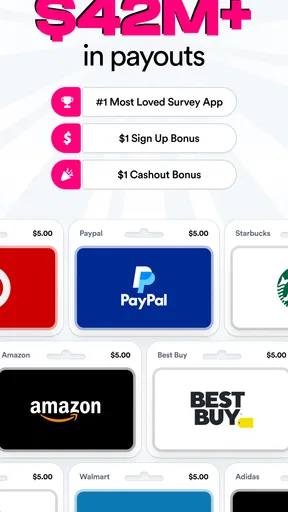
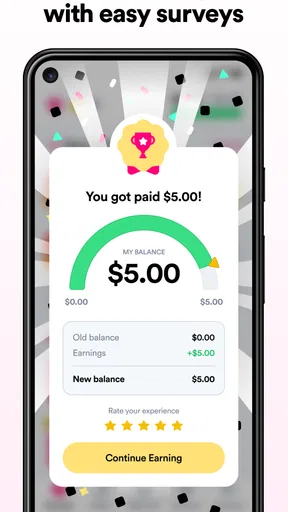
Let’s talk money, shall we? The app offers a variety of redemption options. Whether you prefer cold hard cash via PayPal or gift cards to your favorite stores, Survey Pop has got you covered. The best part? The payout process is quick and hassle-free. I received my first payout in less than 48 hours, which is faster than most survey apps I've tried.
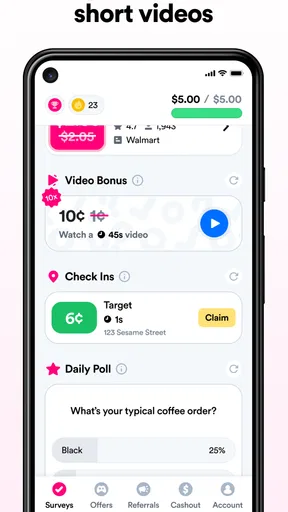
It’s also worth mentioning the bonus system. By completing certain tasks or hitting milestones, you can earn extra points. It’s a nice little incentive that keeps you coming back for more.
Is It Worth Your Time?
So, is Survey Pop the real deal? In my experience, yes. While you’re not going to get rich overnight, it’s a fun and easy way to earn some extra pocket money. It's perfect for those moments when you’re just chilling on the couch or waiting for your food delivery.
Moreover, the app respects your privacy and doesn’t bombard you with ads, which is a huge plus in my book. It’s straightforward, user-friendly, and actually pays out, which is more than I can say for some of the other apps out there.
In conclusion, if you're looking for a simple way to make money on the side, give Survey Pop a try. It's a no-brainer for anyone with a smartphone and a few spare minutes. So grab your phone, download the app, and start turning your opinions into cash. Happy surveying!
Pros
- Easy-to-use interface for quick surveys.
- Payouts through popular payment methods.
- Frequent survey availability to maximize earnings.
- Low minimum cash-out threshold.
- Surveys tailored to user interests.
Cons
- Limited survey availability in some regions.
- Earnings can be slow to accumulate.
- Requires internet connection for use.
- Personal data sharing may concern some users.
- Notifications can be frequent and intrusive.
FAQs for Survey Pop: Make money fast!
What is Survey Pop and how does it work?
Survey Pop is a mobile application designed to help users earn money by completing surveys. Once you download the app, you can sign up and start taking surveys immediately. Each survey is targeted based on your demographic information, ensuring relevancy. Upon completion, you earn points that can be redeemed for cash or gift cards.
Is Survey Pop free to use?
Yes, Survey Pop is completely free to download and use. There are no hidden charges or subscription fees. The app makes money by partnering with companies that need consumer feedback, allowing you to earn rewards simply by sharing your opinions through surveys.
How much money can I make with Survey Pop?
The amount you can earn with Survey Pop varies depending on the number and type of surveys available to you. Typically, surveys pay a few cents to a couple of dollars each. While it’s not a primary income source, it’s a convenient way to earn extra cash in your free time.
How do I redeem my earnings from Survey Pop?
You can redeem your earnings once you reach the minimum payout threshold, which is usually low, making it easy to cash out. Options typically include gift cards for popular retailers or direct cash transfers through PayPal. Check the app for specific redemption methods and thresholds in your region.
Is my personal information safe with Survey Pop?
Survey Pop takes user privacy seriously and employs robust security measures to protect your information. Personal data is encrypted and only used for survey matching purposes. The app does not sell or share your data with third parties without your consent. Always review the privacy policy for full details.


